S4 Term Update
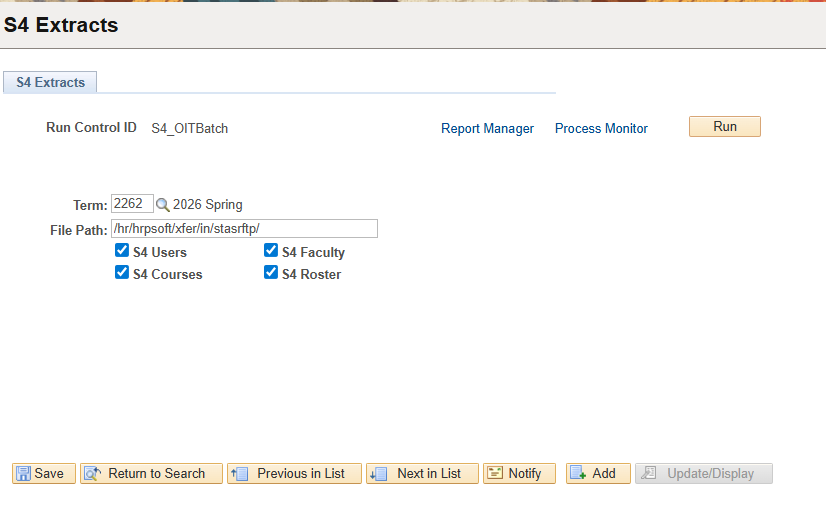
This is how the term is updated/changed for the S4 process.
In PeopleSoft
- Log into PeopleSoft CS
- Click the Switch Identity button and change to the OITBatch account
- Navigate to Menu > Stanislaus SA Custom > Campus Community > Interfaces
- Search and select the S4_OITBatch run control ID.
- Update the Term parameter and save.
- This process creates the files but there’s a job in SecureTransfer that transfers the files.